
How to Schedule or Reschedule an Appointment online at CBW Counseling
At CBW Counseling, all appointments are managed through TherapyNotes, a secure and HIPAA-compliant client portal. This system allows you to request appointments, view upcoming sessions, and make changes to your schedule at any time—without needing to call or email. (But yes, you can still send a text if you need to reschedule.)
To get started, visit the Current Clients page on my website:
www.cbwcounsing.com/current-clients

Scroll down on this page, you will see a button labeled “Therapy Portal.” Clicking this button will take you to the TherapyNotes portal used by CBW Counseling.

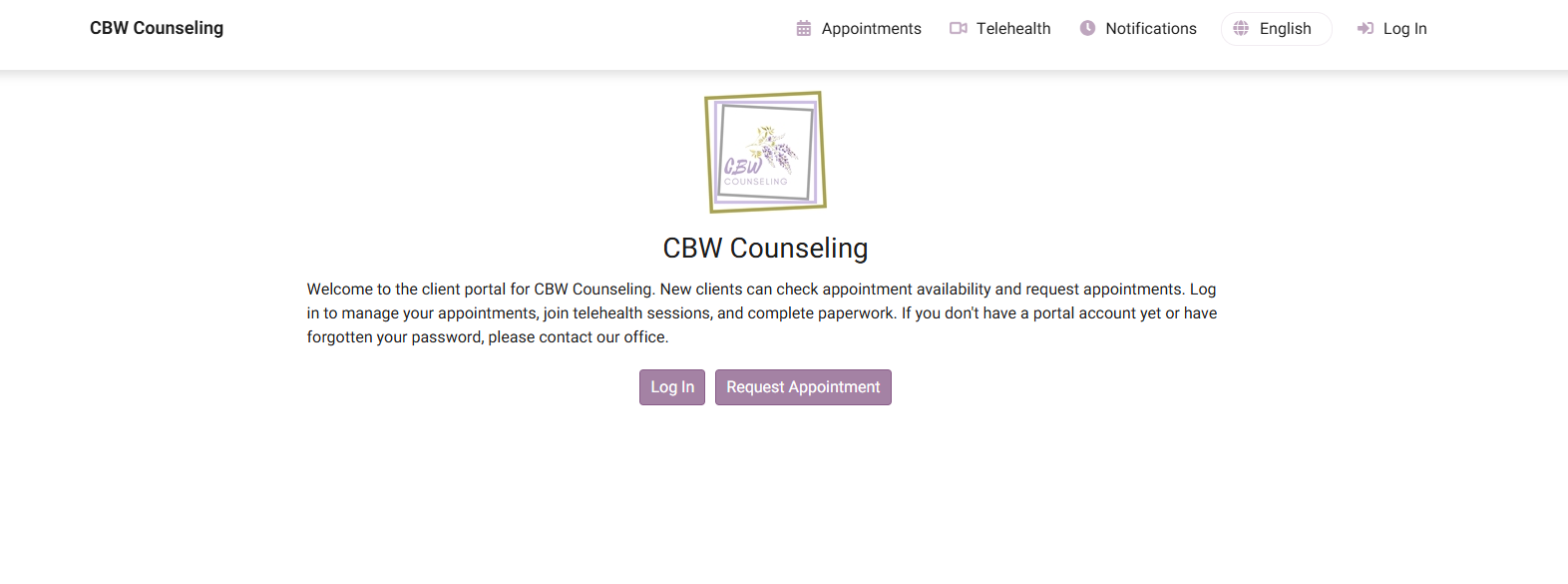
Once you arrive at the TherapyNotes page, you’ll see two options: “Log In” and “Request an Appointment.” If you already have portal access, click “Log In” and enter your email address and password. If you are requesting an appointment for the first time or do not yet have login credentials, click “Request an Appointment” and complete the short request form. You will receive follow-up instructions and confirmation by email.
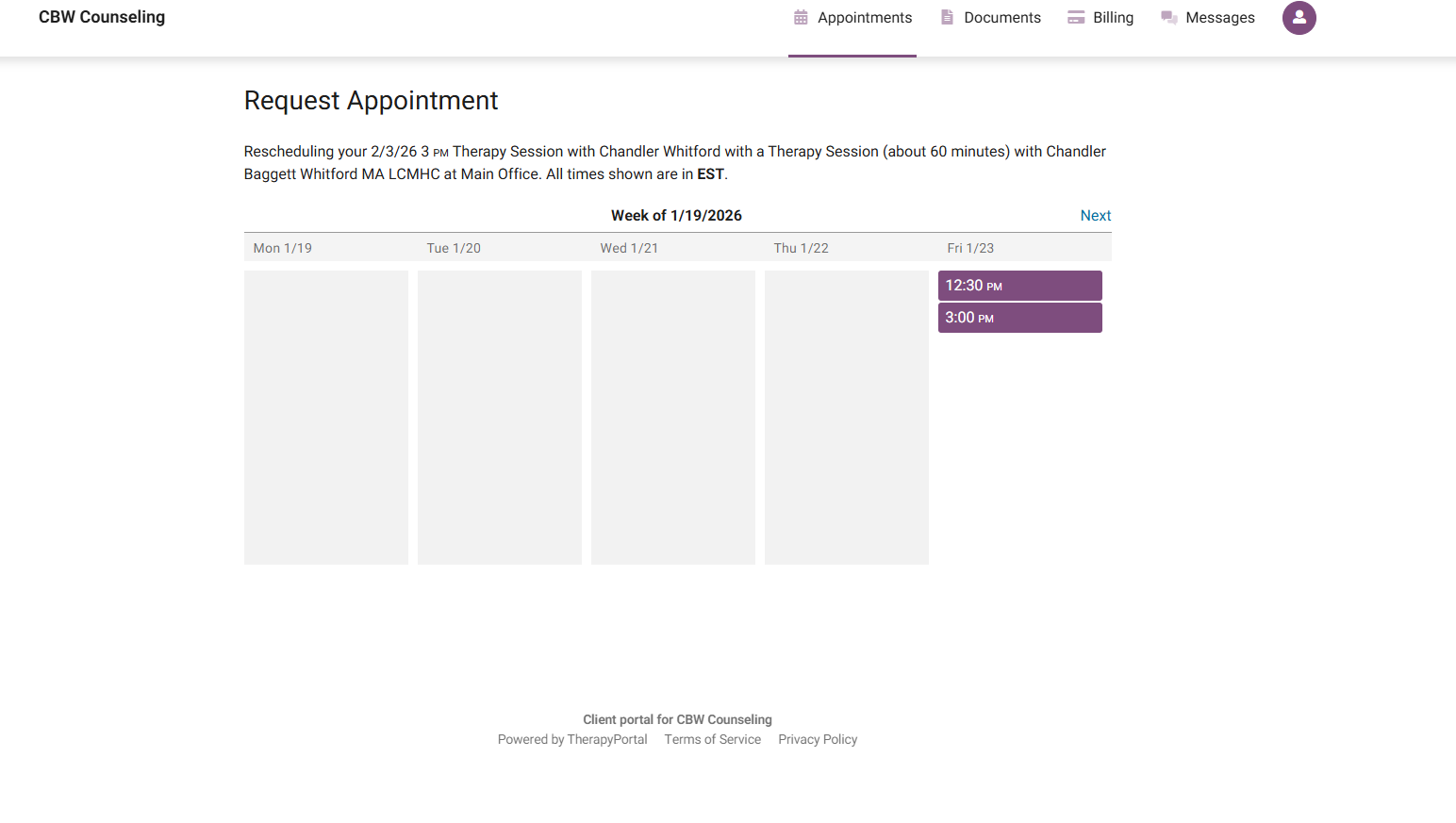
After logging in, you’ll be taken to your client dashboard. From here, you can schedule a new session or make changes to an existing one by clicking “Appointments” or “Request Appointment.” Available dates and times will appear, and you can select what works best for your schedule.
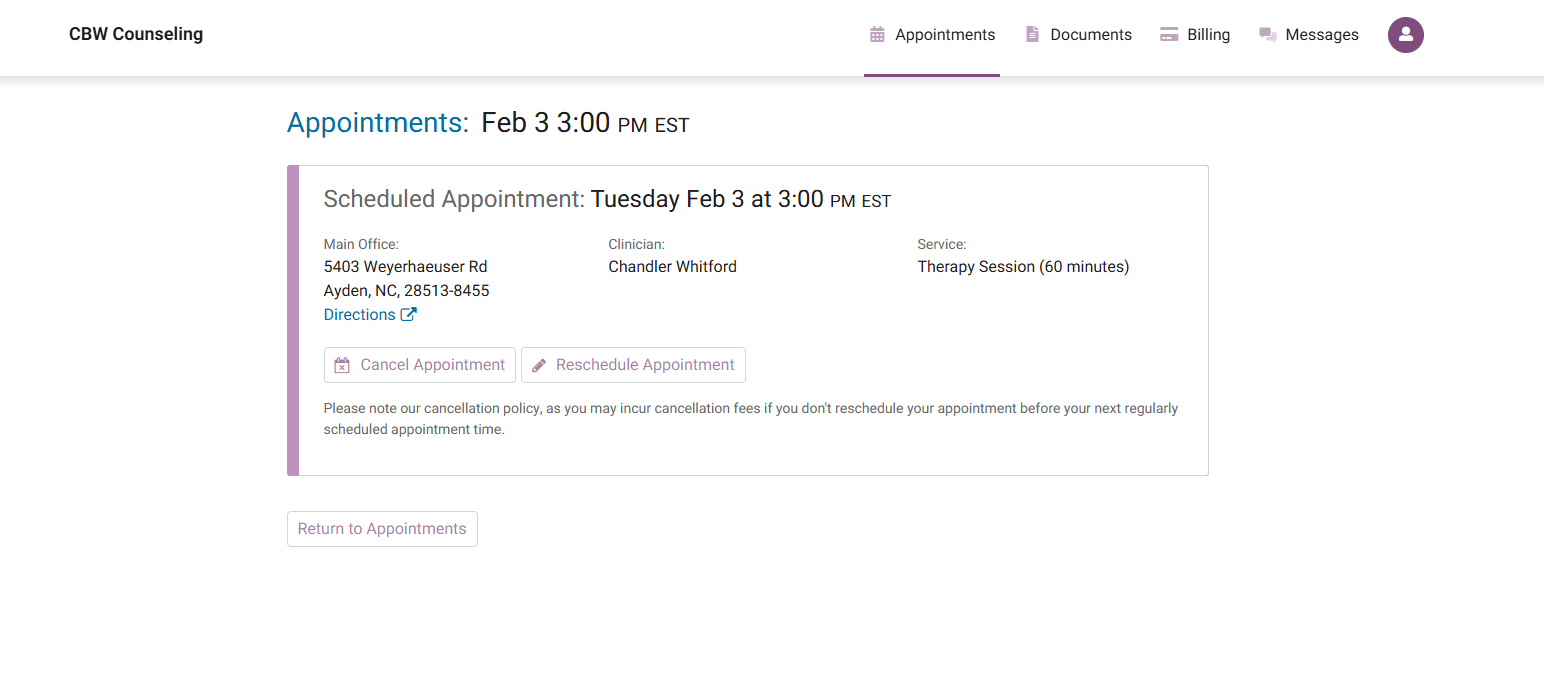
To change an existing appointment, select the appointment you wish to adjust and then choose “Reschedule Appointment.” This will allow you to pick a new available date and time. Rescheduling uses the same process as scheduling and automatically releases your original time.
Please note that appointments require at least 48 hours’ notice to be rescheduled. Whenever possible, appointments should be rescheduled rather than canceled in order to avoid late-change or cancellation fees. This helps maintain consistency of care and allows appointment times to remain available to others.
Once your request or change is submitted, you will receive an email confirming your appointment details. All scheduling and updates are handled securely within TherapyNotes.
Quick Review
Click “Therapy Portal”
Choose “Log In” or “Request an Appointment”
Use Appointments or Request Appointment to schedule
To change a session, select the appointment and click “Reschedule Appointment”
Make changes at least 48 hours in advance
Reschedule rather than cancel to avoid fees
Check your email for confirmation
